Features
A time blocking calendar that keeps score
Cutline is a time blocking calendar: you give every hour of your week a job by dragging blocks into it, then tick each block off when it is done. Every finished block earns XP, so the calendar shows not only what you planned but what you actually did.
What time blocking in Cutline looks like
You plan the week on the Grid: seven days side by side, each with a ruler from early morning to late night. Drag down a column to make a block, give it a name and a category (gym, deep work, sales, content, learning, meetings), and it snaps to the quarter hour. Move it by dragging, stretch it to make it longer, and press N to add one at the next free slot.
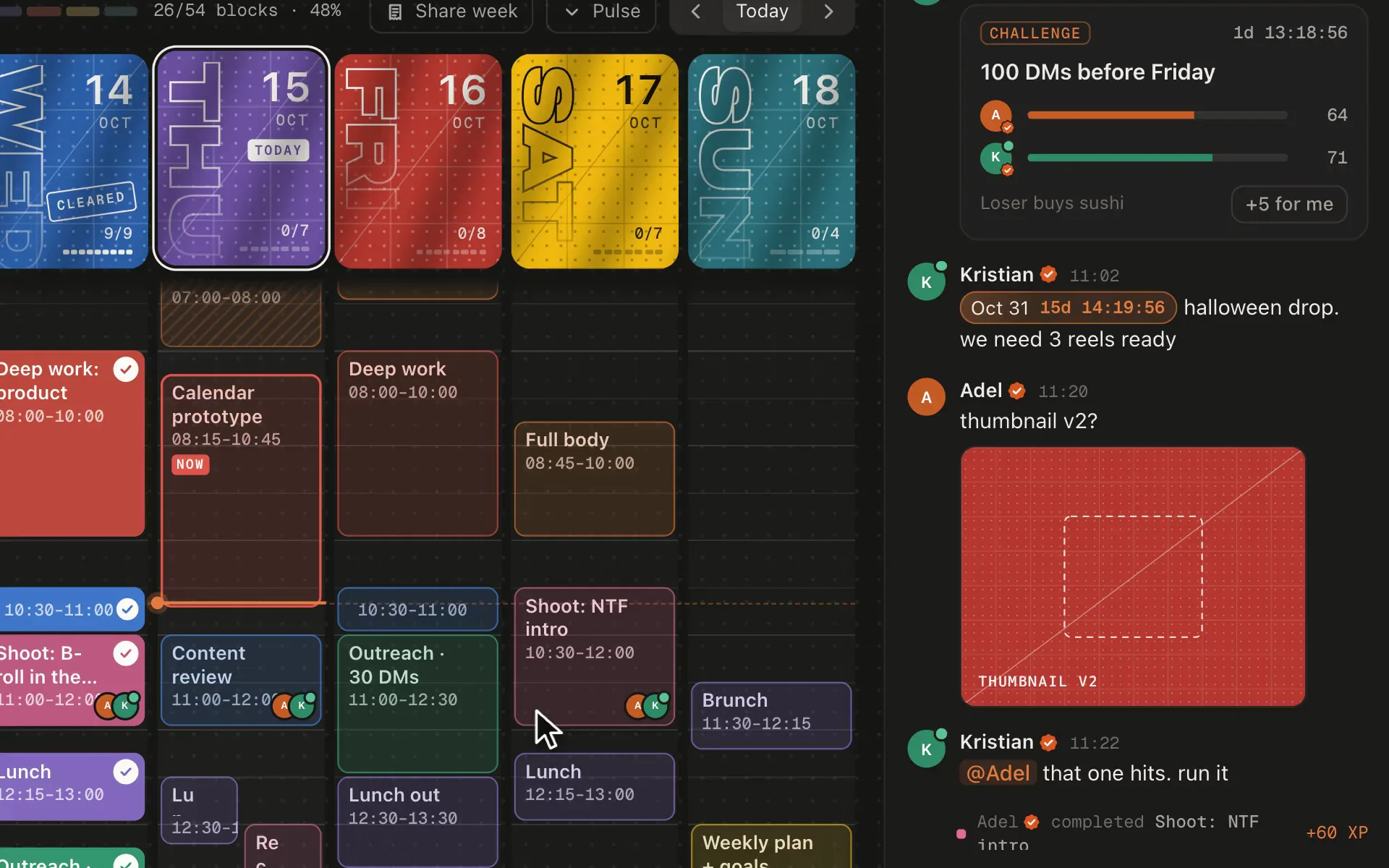
When the block is over, tick it. The block fills in, the day card above the column counts it, and XP lands in the corner. Finish every block on a day and the day is stamped Cleared.
Why blocks beat a to-do list
A to-do list tells you what to do. A time block tells you when, and how long it is allowed to take. That is the difference between "write the proposal" sitting on a list for a week and "write the proposal, Tuesday 09:00 to 11:00" getting done on Tuesday.
- Decisions made once. You decide on Sunday what Wednesday afternoon is for, so Wednesday afternoon starts without a debate.
- Real limits. A week has 168 hours. When the blocks do not fit, you see it on Sunday, not on Friday.
- Proof. Ticked blocks become a record: hours by category, cleared days and streaks.
What makes Cutline different
| Plain calendar | Cutline | |
|---|---|---|
| Plan blocks by dragging | Yes | Yes, snapped to 15 minutes |
| Mark a block done | Rarely | Yes, one tap |
| Score for finished time | No | XP, levels, cleared days |
| See your week's hours by category | No | Yes, every week |
| Optional leaderboard with friends | No | The Arena, opt-in |
Getting started
- Open the app and sign in with your email (a 6-digit code, no password).
- Drag your fixed commitments in first: classes, meetings, training.
- Put your most important work in the hours you are sharpest, usually the morning.
- Leave white space: a week with no gaps breaks on the first late meeting.
- Tick blocks as you finish them, and look at the week on Sunday.
Not sure where to start? Copy a weekly schedule template or read the time blocking guide.
Questions
Is Cutline a free time blocking app?
Yes. Planning on the Grid, XP, levels, streaks and the Arena are free, for good. Paid plans add a badge, posting on the Floor, starting conversations and payment links.
Does Cutline work on my phone?
Yes. Cutline is a web app that works in phone and desktop browsers. On a phone you see one day at a time and tap a day card to switch days.
How small can a time block be?
Blocks snap to 15 minutes, so the shortest block is 15 minutes. Hold Alt (Option) while dragging to place a block to the minute.
What happens to blocks I do not finish?
They stay on the calendar, unticked, and show up under Unfinished in the sidebar for the next ten days, so you can move them or let them go on purpose.
None
Free forever for planning, XP, streaks and the Arena. Reserve your @name now.